
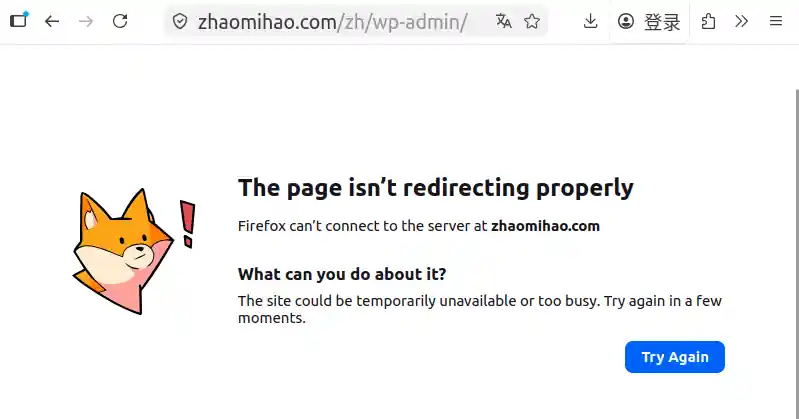
Yesterday, I logged into my blog only to find a nasty surprise: the Chinese subsite was down. Depending on how I accessed it, I was either greeted by a broken, unstyled layout or the dreaded browser error: “The page is not redirecting properly” (ERR_TOO_MANY_REDIRECTS).
🕵️♂️ The Investigation
Using Firefox’s developer tools to inspect the network traffic, I noticed the subsite was throwing 404 errors.
I fed these symptoms into an AI assistant to get a diagnostic roadmap. The AI suggested that a redirect loop in a WordPress Multisite environment is usually caused by a mismatch between database URL settings, server configurations (rewrites), and wp-config.php definitions.
The AI provided a laundry list of potential fixes:
- Checking and correcting database URLs.
- Hardcoding addresses in wp-config.php.
- Verifying server rewrite rules (Permalinks).
- Debugging plugin conflicts and cache issues.
- Checking SSL/HTTPS configurations.
- Verifying file permissions.
- The Nuclear Option: Analyzing server logs.
💡 The Solution
I spent half the day methodically working through the AI’s suggestions. In the end, the culprit was surprisingly simple: the site’s .htaccess file had been modified, breaking the redirect logic for the subsites.
The Fix:
I simply replaced the current .htaccess file with a previously backed-up version. After restarting the server, the subsite was back online instantly.
Key Takeaway: This incident highlights just how critical regular website backups are. You never know when a simple configuration file change will bring your site to its knees.A Note on Server Logs
Interestingly, analyzing the server logs turned out to be a complete red herring in this case. It didn’t help solve the problem at all and actually led me down quite a few rabbit holes. Sometimes, the simplest solution—restoring a backup—is the right one.