
OpenLiteSpeed

Discover OpenLiteSpeed guides: installation, configuration, and performance tuning for high-speed WordPress hosting on Linux servers.

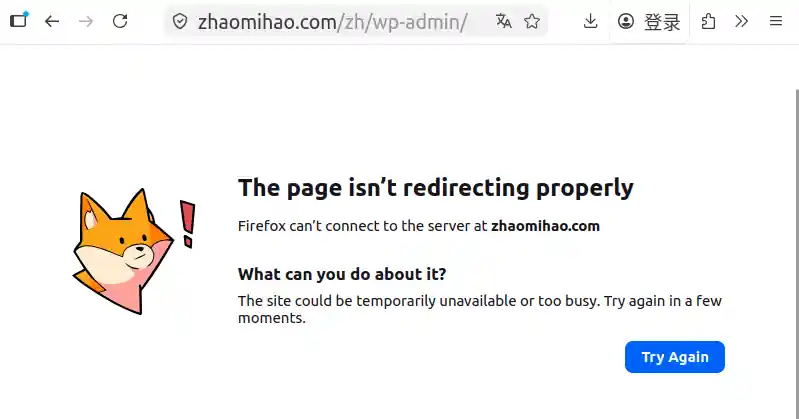
the page is not redirecting properly

Troubleshooting WordPress Multisite: Fixing Subsite Redirect Errors

Yesterday, I logged into my blog only to find a nasty surprise: the Chinese subsite was down. Depending on how I accessed it, I was either greeted by a broken, unstyled layout or the dreaded browser error: “The page is not redirecting properly” (ERR_TOO_MANY_REDIRECTS).🕵️‍♂️ The InvestigationUsing Firefox’s developer tools to inspect the network traffic, I […]

Troubleshooting WordPress Multisite: Fixing Subsite Redirect Errors Read More »

How to Install a Free Let’s Encrypt SSL Certificate on OpenLiteSpeed

Let’s Encrypt is a widely trusted, free Certificate Authority (CA) whose SSL/TLS certificates are automatically recognized by all major browsers, including Chrome, Firefox, Safari, and Edge. In this guide, we’ll walk through how to install and configure a free Let’s Encrypt certificate for an OpenLiteSpeed web server running on Ubuntu 24.04. Step 1: Install Certbot

How to Install a Free Let’s Encrypt SSL Certificate on OpenLiteSpeed Read More »

Setting Up WordPress Multisite on Ubuntu 24.04 with OpenLiteSpeed (Part 3)

This is the final article under the same title, guiding you on how to enable Multisite in WordPress. This guide primarily references insights from https://www.ucloud.cn/yun/117859.html and https://liujia.anqun.org/index.php/archives/1295/. To get started, log in to your WordPress Dashboard. Navigate to Tools → Network Setup. You should see a screen similar to the one below: Select Sub-directories and

Setting Up WordPress Multisite on Ubuntu 24.04 with OpenLiteSpeed (Part 3) Read More »

Setting Up WordPress Multisite on Ubuntu 24.04 with OpenLiteSpeed (Part 2)

Welcome back! In this continuation of our series, we’ll walk through installing WordPress on a server where OpenLiteSpeed, your database server (MySQL/MariaDB), and PHP are already up and running. If you missed the previous installment where we set up the LEMP stack and configured the database, be sure to check out [Setting Up WordPress Multisite

Setting Up WordPress Multisite on Ubuntu 24.04 with OpenLiteSpeed (Part 2) Read More »

Setting Up WordPress Multisite on Ubuntu 24.04 with OpenLiteSpeed (Part 1)

Recently, I’ve been diving deep into WordPress. Initially, I used Vultr’s VPS, which offers a one-click WordPress image installation. Within minutes, my WordPress site was up and running—quick and hassle-free. Later, I tried other VPS providers, some of which didn’t offer one-click WordPress setups and only provided a clean OS installation. Being someone who enjoys

Setting Up WordPress Multisite on Ubuntu 24.04 with OpenLiteSpeed (Part 1) Read More »

Scroll to Top